

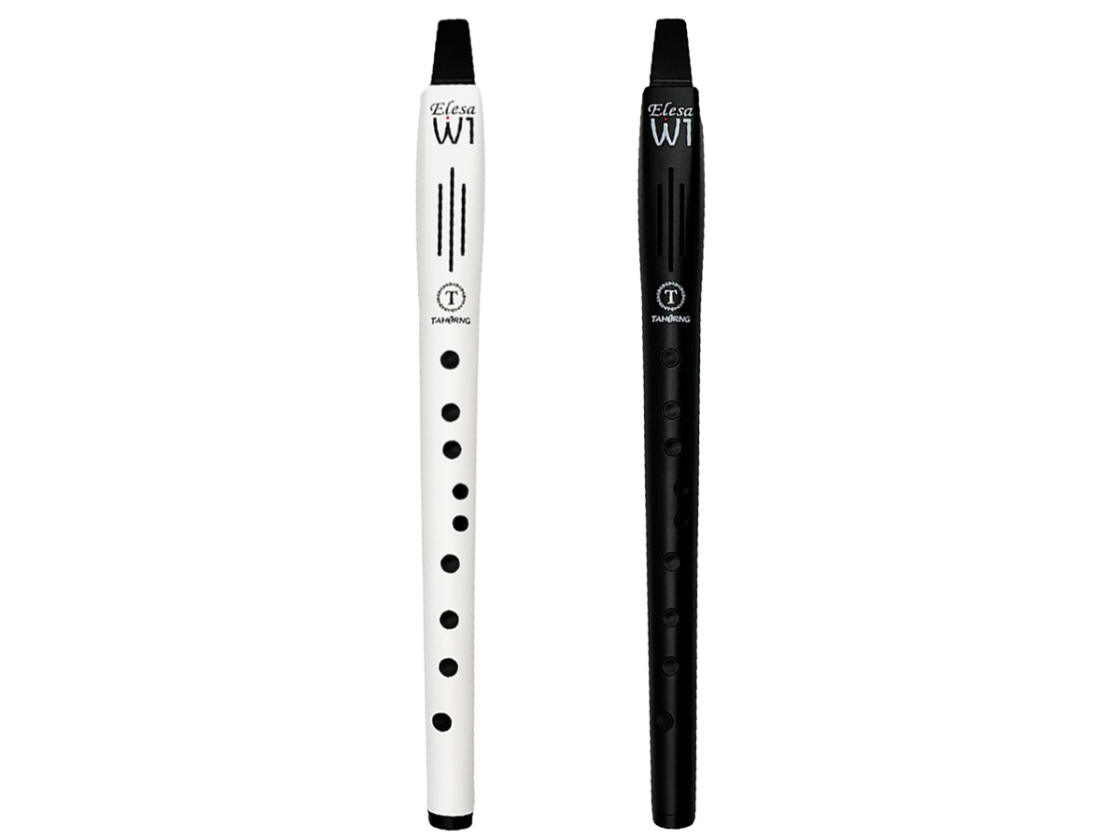
Brand:Tahorng
Model:Elefue
Dimension:35.4 x 2.9 x 2.4 (cm)
Weight:114 (g)
Attachment:
USB cable x1, bundle pocket x1, silicone blowpipe x1, manual x1.
Color:White, Black
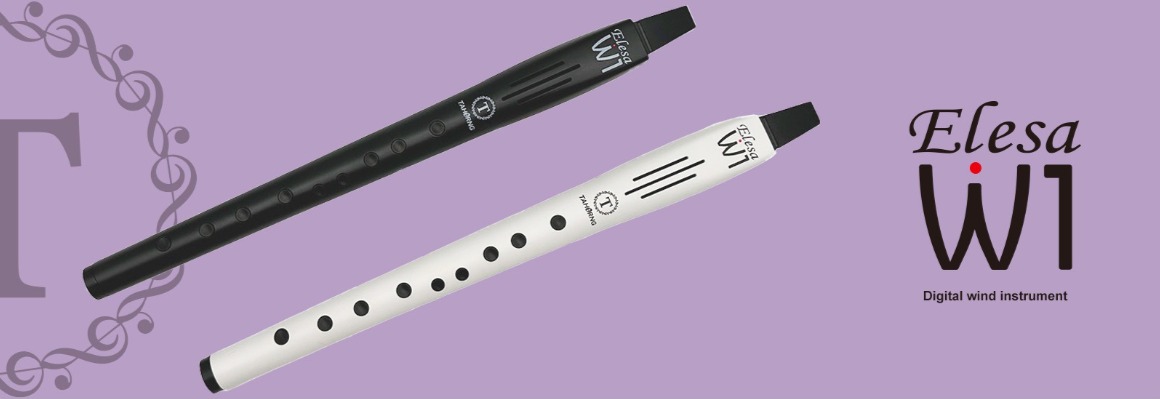
Introducing the Elesa-W1, an electronic saxophone designed for those who want to enjoy playing the saxophone with ease.
It delivers authentic saxophone sounds at an affordable price and features recorder-style fingering, making it easy and fun for everyone.
Features
● Realistic saxophone sounds powered by an advanced sound chip and an enhanced speaker system
● Recorder-style fingering allows anyone to start playing the saxophone easily
● Includes 10 built-in instrument sounds, such as saxophone, clarinet, flute, and trumpet
● Equipped with a reverb effect for a rich, vibrant sound
● Portable, sleek, and sophisticated design
● Features a detachable silicone mouthpiece
● Includes a transpose function
● Wireless MIDI capability allows for integration with external sound sources like smartphones and PCs
● Equipped with a headphone jack
● Powered by an 800mAh rechargeable lithium-ion battery
Sound
| 01.Alto Saxophone 02. Hulusi (Gourd Flute) 03. Dizi (Chinese Flute) 04. Flute 05. Clarinet |
06. Trumpet 07. Trombone 08. Bassoon 09. Violin 10. 二胡 |
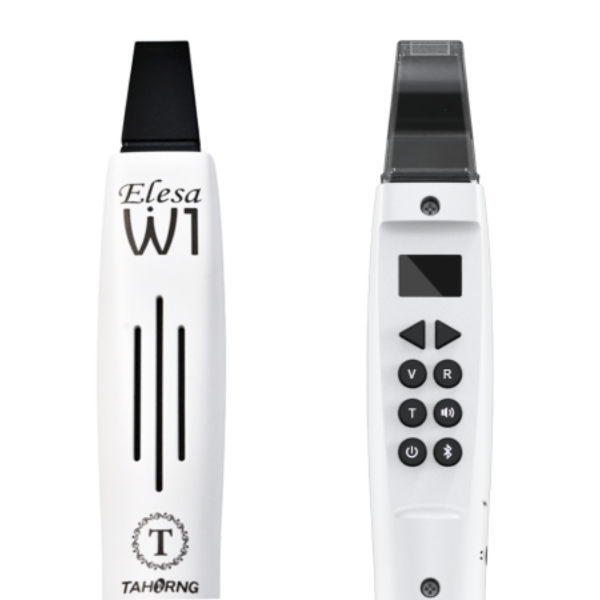
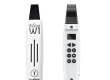
Button Descriptions
● V – Select from 10 different instrument tones.
● T – Transpose (range: -5 semitones to +6 semitones).
● – Power switch.
● R – Toggle reverb on/off.
● – Volume control (adjustable from 0 to 10).
● – Bluetooth pairing.
Specifications
● Tones: 10 instrument tones
● Fingering Mode: Recorder-style, including semitone keys
● Range: B2 to G#5 (using the octave switch and semitone keys)
*Note: Depending on the tone, the perceived octave may vary.
● Buttons: Power, Tone Selection, Reverb, Transpose, Volume, Bluetooth Pairing
● Transpose: -5 semitones to +6 semitones
● Body Material: ABS resin
● Effects: Reverb (can be toggled on/off)
● Terminals: Headphone/line output, USB-C port (for charging)
● Power: 5V USB power / Built-in rechargeable lithium battery (approx. 3 hours of play time on a full charge)
● Dimensions: 35.4 x 2.9 x 2.4 cm
● Box Dimensions: 39.4 x 9.0 x 4.6 cm
● Weight: 114g
● Included Accessories: USB cable x1, bundle pocket x1, silicone blowpipe x1, manual x1.
Q&A regarding the Elesa-W1
Q) Can I send MIDI signals via the USB port?
A) The USB port on the Elesa-W1 is for charging only; it cannot be used to transmit MIDI data. To send MIDI signals, you must use Bluetooth MIDI for a wireless connection. Currently, this product is only compatible with iOS and Mac. While it may be recognized as a Bluetooth device on Windows, it cannot exchange MIDI data.
Q) Can the mouthpiece be replaced?
A) The Elesa-W1 features a washable silicone mouthpiece that can be removed for cleaning to maintain hygiene. There is an opening at the bottom of the unit for saliva drainage. Replacement mouthpieces are available for purchase as an optional accessory; these are the same as those used for the "Elefue" (Elefue-W1).
Q) Can the sound from the unit be transmitted wirelessly?
A) No, it cannot. The wireless functionality is limited to Bluetooth MIDI (MIDI signals only). If you wish to transmit audio signals wirelessly, please connect a commercially available wireless audio transmitter to the headphone jack.
Q) Why am I unable to pair via Bluetooth?
A) Bluetooth pairing is typically associated with Bluetooth audio functionality, but the Elesa-W1 does not support this. The Bluetooth functionality in the Elesa-W1 is designed exclusively for MIDI. Pairing must be configured within an app that supports MIDI-based sound sources. For example, "GarageBand"—a free music app available for Mac and iOS—can be used; you can play the sounds within the app using the Elesa-W1. Please perform the pairing process through the Bluetooth MIDI settings located within the app itself.
Manual Download:
| English Manual | English Fingering List |
| Japanese Manual | Japanese Fingering List |
